

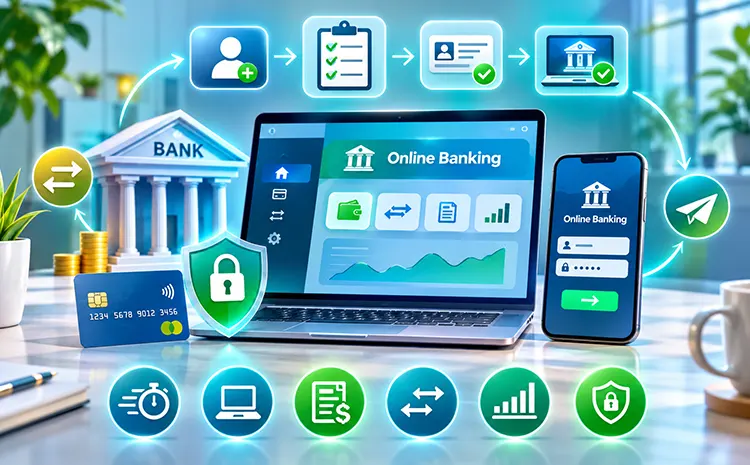

You can now easily do almost everything that used to require a trip to the bank, like making a transfer right from your desk or couch. With online banking, everything is digital, and you can manage your banking transactions conveniently from your sofa. In this article, you’ll learn exactly what online banking is, how it works, and what you need to be aware of.
Online Banking Explained Simply
These days, almost everything is possible online, including banking. With online banking, you can perform many banking transactions and access services online without visiting a physical bank branch. Virtually every bank offers an online service. This allows you to manage your checking account, all other bank accounts, and your securities portfolio from home. You can access a bank’s online version via a browser, using programs like Safari, Chrome, or Firefox, or via an app. Users can download the respective bank’s app to their smartphone or tablet.
Besides traditional banks that also offer their services online, there are also banks that operate exclusively digitally. These are also known as neobanks. Examples include providers like N26 and Revolut.
Online Banking vs. Mobile Banking
You can handle your bank account online using a computer or through an app on your phone. Mobile banking is when you use your smartphone or tablet to do banking tasks, like checking how much money you have, moving money around, paying bills, and taking care of your accounts. This process can be done on a website or with a special banking app. Either way, you can do many things with your account digitally.
How Secure Is Online Banking?
Security is, of course, always a concern when it comes to online banking. But to ensure you can use online banking securely, there’s a verification mechanism: the TAN procedure. A transaction authentication number (TAN) is a code used to authorize certain banking transactions.
Depending on the method, it may be generated or received through a banking app, SMS, or a separate device. Many banks offer authentication through a dedicated app. The available methods vary by bank and may include pushTAN or photoTAN. However, there are also the SMS-TAN, HBCI, and chipTAN methods. These don’t require an app.
You receive the SMS-TAN via SMS. HBCI/FinTS-based banking may require banking software, authentication credentials, and, depending on the method, a chip card and card reader. The chipTAN method requires a TAN generator. Don’t be confused by the many terms; the TAN process at your bank will be clear and straightforward.
Common Risks of Online Banking
Online banking is really handy, but it also has some downsides when it comes to keeping your info safe, like these:
- Phishing: Scammers often send phishing emails or texts that look real, and they even set up fake websites to trick you into giving them your bank account info.
- Malware: Malware is basically nasty software that can do some pretty harmful things. It can steal your passwords, track your online activity, or even access your banking info.
- Unauthorized access: If someone gets into your bank account without permission, that’s a big problem. Such an event can happen if a hacker gets your login info or uses a device that’s been compromised.
- Public Wi-Fi risks: Using public Wi-Fi can be risky because these networks are not always secure, so when you’re online and looking at private stuff, you might be open to threats.
- Online banking scams: Scammers often pretend to be banks or customer support to get people to share secret codes, passwords, or private info. They do this to trick users into giving away sensitive details.
Advantages and Disadvantages of Online Banking
Advantages of Online Banking
- Faster
- Access anytime (regardless of location and time)
- Cheaper
- Clear
Disadvantages of Online Banking
- Depending on the bank, there may be fewer or no branches at all.
- Security risks
- Not direct personal contact
What Can You Do With Online Banking?
Many banks allow you to handle a range of banking services online, including opening accounts and setting up standing orders. The services offered vary depending on the bank, but the following functions are available in most cases. However, they differ in cost. You can find more information in our current account comparison.
- View transactions and account balance
- Transfer money domestically and internationally
- Set up and cancel standing orders
- Access the securities account
- Trading securities
- Manage savings, building society, money market, and fixed-term deposit accounts
- Apply for a credit card
- View credit card transactions promptly
- Set up scheduled transfers
- Set up a tax exemption order
- Set a transfer limit
- Online consultation
- Set up a savings plan
How to Set Up Online Banking
You don’t need much to conduct banking transactions digitally. If you occasionally use the internet, you probably already have the basics at home.
- Mobile phone, tablet, laptop, or PC
- Internet access (e.g., Wi-Fi)
- Browser (e.g., Safari, Chrome, or Firefox) or your bank’s app
To then carry out online banking, you will also need the following:
- Access data
- Hardware and software for the TAN procedure
You will receive these items once the bank has accepted your application.
There are two approaches to setting up online banking. Either you already have an account with a traditional bank and now want to add online access, or you want to open a completely new account digitally.
Existing Account at a Branch Bank
- Go to the bank or call and tell an employee that you want to register for online access.
- Authenticate yourself for online access (you will receive instructions from the bank).
- Activate the TAN procedure (you will receive instructions from the bank).
Opening a New Account Online
- Choose a bank.
- Apply for the account on the bank’s website.
- Verify your identity via video, mail, or e-identification (you will receive instructions from the bank).
- Activate the TAN procedure (you will receive instructions from the bank).
What Costs Can Arise When Using Online Banking?
Transaction fees can vary depending on the bank. At one bank, a transfer might be free, while at another, it might incur a fee. Digital banking may be cheaper than traditional banking, depending on the bank and the services offered. Direct banks and neobanks may offer lower fees, but costs vary. They are so attractive because they don’t operate branches, meaning they have much lower overhead.
Depending on how comfortable you feel online, you should decide whether your bank operates entirely online or whether you prefer branches with staff. Customer support options vary by bank. Some offer telephone support, while others primarily provide assistance through chat or online channels.
Frequently Asked Questions About Online Banking
1. What Are the Advantages and Disadvantages of Online Banking?
Online banking is faster, location-independent, and cheaper than traditional in-person banking. However, depending on the bank, there may be fewer or no branches where you can go for in-person service.
2. How Does Online Banking Work With a Smartphone?
For online banking via smartphone, you can usually log in to your bank’s website through your browser. In addition, most banks offer an app that you can download to your smartphone.
3. Is Online Banking Free?
Online banking may be free, depending on the bank and account type. Some banks charge account maintenance fees or fees for certain transactions and services.
4. How Secure Is Online Banking on a Mobile Phone?
Mobile online banking is secure if the appropriate precautions are taken. An important point is to avoid clicking on suspicious links on your smartphone to prevent becoming a victim of phishing. Through phishing, fraudsters can steal your bank login information and thus gain access to your account.